Onyx Boox Tab X C 128GB

Description

Onyx Boox Tab X C 128GB, Official BOOX Distributor in Singapore

Skip the marketplace middleman and buy direct. Secure your genuine Onyx Boox Tab X C 128GB directly from GeekBite, an official BOOX distributor in Singapore.

Why Buy From GeekBite?

IMM Jurong East Office Assurance: Buy with complete peace of mind. We are an established local business, not a hidden online storefront or overseas dropshipper. Our physical headquarters at IMM Jurong East Mall #04-02, Singapore 609601 (Purple Zone, above Haidilao Hot Pot, beside the escalator) gives you accessible post-purchase support and in-person collection options. (GeekBite Pte Ltd | ACRA UEN: 201909638R)

Comprehensive 12-Month Local Singapore Warranty: Rest easy knowing your tech investment is fully protected, backed by our dedicated Singapore after-sales support team.

15-Day Returns: Changed your mind? Return it within 15 days if it is sealed, unused and unopened. You pay the return shipping, and we inspect returns in 3 to 5 working days.

Trusted by 180,000+ Happy Customers: Join Singapore's largest community of digital readers and professionals, backed by 4,600+ verified 5-star Google and Facebook reviews, alongside 80,000+ positive marketplace ratings.

Free Gifts Worth $150

Buy now and get a free 300 eBook starter collection (worth $150), plus 1 to 2 days delivery.

The Boox Tab X C: A Large Color Productivity Tablet Built for Serious Multitasking

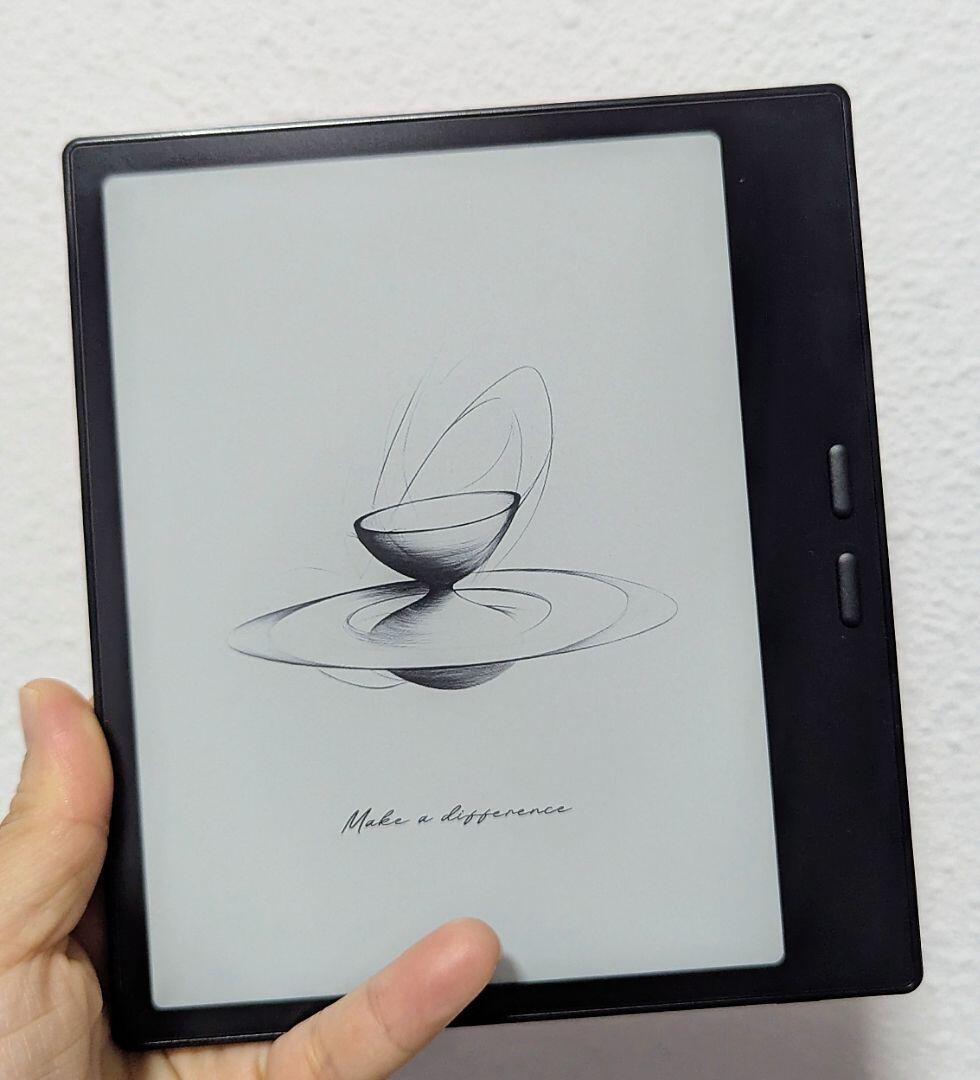
Whether you're colour-coding a spreadsheet, sketching design concepts, or running two apps side by side, the Onyx Boox Tab X C 128GB is built as a genuine paperless office replacement, not just a reader. Built for anyone searching for a "13 inch colour ePaper tablet for productivity", a "large Android tablet for multitasking with stylus", or an "ePaper tablet with wireless charging stylus", it pairs a 13.3-inch Kaleido 3 colour display with a 2.8GHz octa-core processor and 128GB of onboard storage. For professionals wanting an "ultra-slim tablet for the paperless office", the included BOOX InkSpire stylus and 625g build keep long working sessions comfortable.

Screen Comfort That Doesn't Fight Your Eyes

Q: Does this reduce eye strain compared to a phone or tablet?
A: Yes. The Tab X C uses a 13.3-inch Kaleido 3 colour E Ink display instead of a backlit LCD screen, so you get colour spreadsheets, documents, and diagrams without the flicker or blue-light glare of a laptop. The dual-tone adjustable front light lets you tune warmth and brightness for long office sessions or evening work. Many professionals switch from staring at a laptop screen all day specifically to give their eyes a rest with this device.

Fast Enough For Real Work, Not Just Reading

Q: Is it fast enough for smooth page turns and note-taking?
A: Yes. The Tab X C runs a 2.8GHz octa-core processor (up to 2.84GHz, 7nm process) with 6GB of RAM, keeping split-screen multitasking and handwriting responsive even with 128GB of documents loaded. The included BOOX InkSpire stylus adds wireless magnetic charging and haptic feedback for natural, low-latency writing straight out of the box. It's built for genuine paperless office workflows, not just casual reading.

One Login For Every Bookstore

Q: Does it support both Kindle and Kobo apps?
A: The Tab X C runs full Android 13 with the Google Play Store built in, so you can install reading apps such as Kindle, Kobo, Libby and NLB, and keep reading books you've already bought on those platforms. App support depends on each app's developer, so chat with us if you want us to check a specific app before you buy. You're never locked into a single bookstore ecosystem.

What's in the Box & Setup

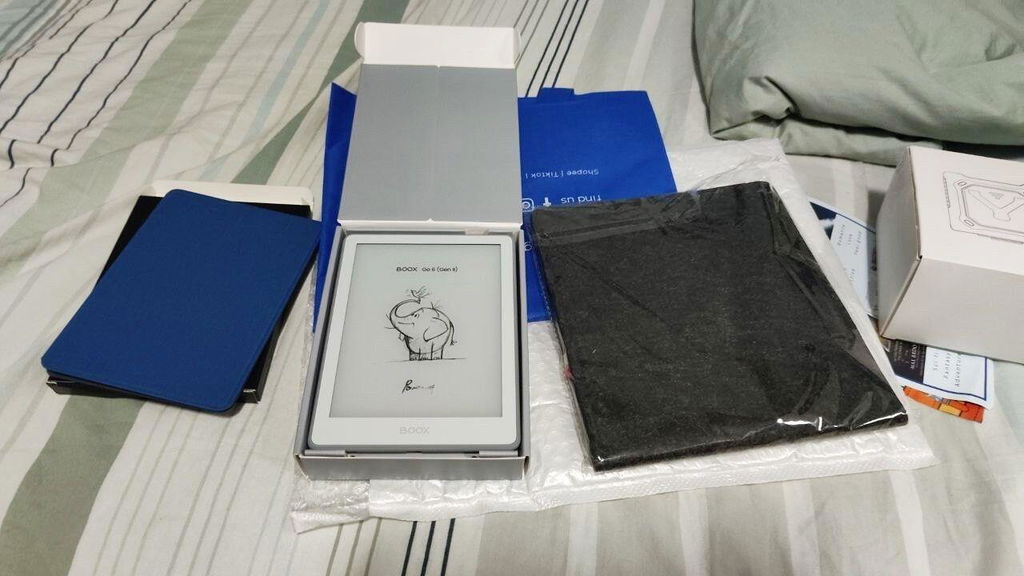
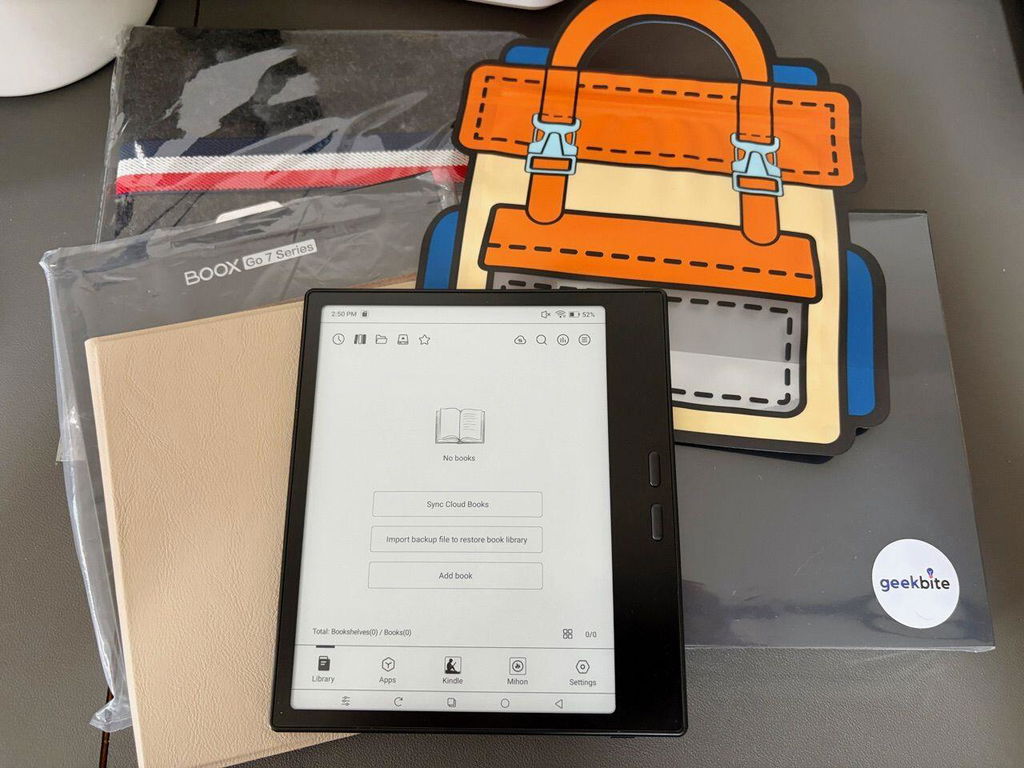
In the Box (per BOOX): Brand-new, factory-sealed Onyx Boox Tab X C 128GB, BOOX InkSpire stylus, 3 stylus tips, USB-C cable, quick-start guide, warranty card. Your GeekBite free gifts come with it.

Easy Setup: Connect to Wi-Fi and Bluetooth 5.0, sign in to Google Play, and install your reading apps. Our Singapore team is on hand if you get stuck.

Technical Specifications

Specification Detail
Brand Onyx Boox
Model Tab X C (128GB)
Display Size 13.3"
Display Panel Type E Ink Kaleido 3 colour, flat cover-lens
Color Capability Colour, up to 4,096 colours
Screen Resolution B/W 3200 × 2400 / Colour 1600 × 1200
Pixel Density (PPI) 300 ppi (B/W) / 150 ppi (Colour)
Processor 2.8GHz Octa-core + BSR, up to 2.84GHz, 7nm process
RAM 6GB
Internal Storage 128GB
Operating System Android 13 with built-in Google Play Store
Stylus Support BOOX InkSpire stylus, included standard (wireless magnetic charging, haptic feedback)
Wi-Fi Wi-Fi
Bluetooth Bluetooth 5.0
Weight & Build Approx. 625g; 287.5 × 243 × 5.3 mm; ultra-slim

Key Facts

The Boox Tab X C is the only device in this Boox batch with the new BOOX InkSpire stylus, offering wireless magnetic charging, haptic feedback, and a replaceable tip. It packs the largest battery in the Boox lineup at 5,500mAh, supporting sustained all-day productivity work. At just 5.3mm thin, it's the thinnest large-screen device in the range despite its expansive 13.3" colour display. With 6GB RAM and a 2.8GHz octa-core processor, split-screen multitasking and colour PDF review stay smooth. A dual-tone front light and 128GB of storage round out a genuinely capable paperless office tablet.

Frequently Asked Questions

Q: Is GeekBite an official Onyx Boox distributor in Singapore?
A: Yes, GeekBite is an official BOOX distributor in Singapore, sourcing every unit directly through official channels rather than grey-market resellers or overseas marketplaces. Each Tab X C you receive is brand-new and factory-sealed, backed by our physical Singapore office and dedicated local after-sales support team. Buying from GeekBite means you skip the risk of counterfeit units, invalid warranties, or unresponsive overseas sellers entirely.

Q: What warranty comes with this device from GeekBite?
A: Every Onyx Boox Tab X C sold by GeekBite comes with a comprehensive 12-month local Singapore warranty. If anything goes wrong with your device, you're covered by our dedicated Singapore after-sales support team rather than having to ship your device overseas or deal with a foreign call centre. This local coverage means faster repairs, faster replacements, and genuine peace of mind for your purchase.

Q: Can I return this if I change my mind?
A: Yes. GeekBite offers a 15-day return window for any completely sealed, unused, and unopened device set, so you can shop with complete confidence. If your Tab X C arrives and simply isn't the right fit, reach out within 15 days of delivery and our team will guide you through the return process. You pay the return shipping, and we inspect returns in 3 to 5 working days. Just make sure the original packaging and seal remain untouched.

Q: How long does the battery last?
A: The Tab X C is powered by a 5,500mAh Li-ion Polymer battery, the largest in this Boox batch, comfortably supporting a full day of split-screen work, note-taking, and colour PDF review. Because E Ink only draws power when the page actually changes, battery life stretches far longer than a typical laptop or tablet screen despite the large, colour display. Charging is handled through the included USB-C cable for fast, convenient top-ups.

Q: Does it support a stylus, and is one included?
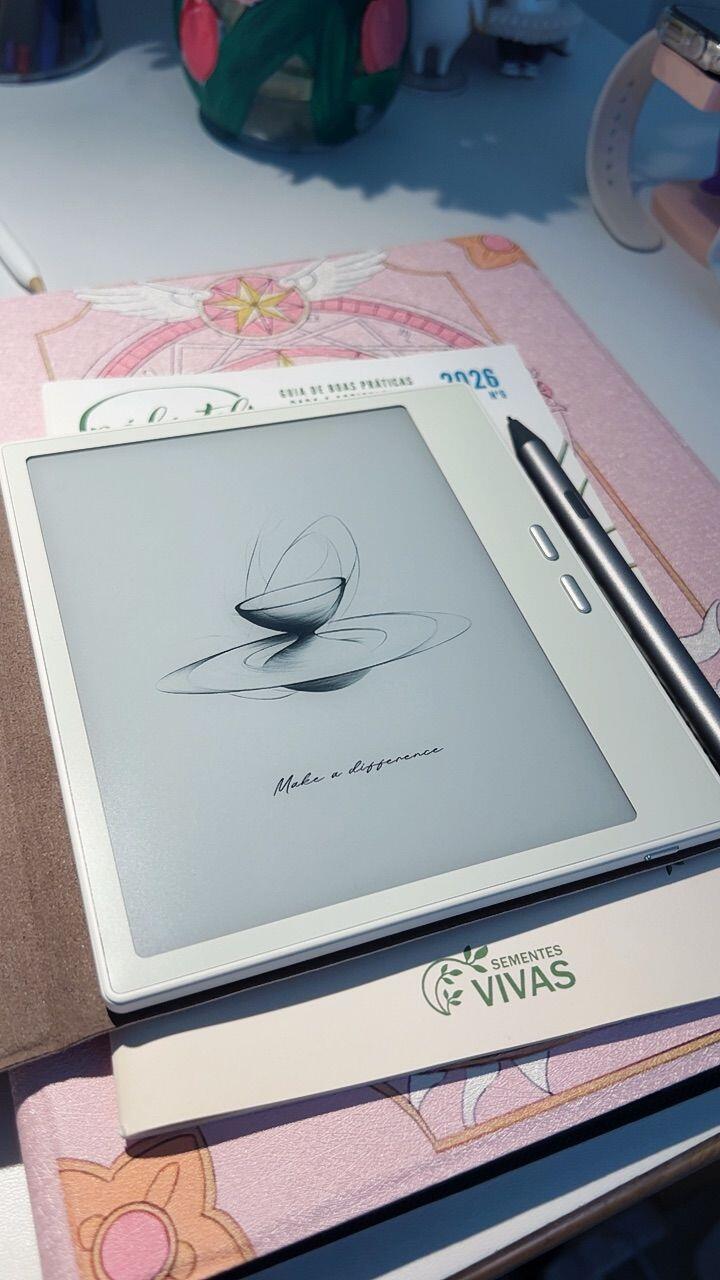
A: Yes, the Tab X C ships with the BOOX InkSpire stylus included standard, featuring wireless magnetic charging, haptic feedback, and a replaceable tip. It's compatible only with the InkSpire stylus, not other BOOX pens. There's no need to buy anything separately to start writing or marking up colour documents straight out of the box.

Q: How much internal storage does it have?
A: This model comes with 128GB of internal storage, giving you ample room for large colour PDF libraries, spreadsheets, and design files. Combined with 6GB of RAM and a 2.8GHz octa-core processor, switching between large files and multitasking across split-screen apps stays smooth. This is fixed storage without microSD expansion.

Q: Does the Tab X C support wireless keyboard and accessory options?
A: Yes, the Tab X C supports an optional magnetic keyboard cover for a more laptop-like paperless office setup, sold separately. Combined with split-screen multitasking and the InkSpire stylus's wireless charging, it's built to function as a genuine productivity workstation rather than just a reading device. Ask our team about available keyboard cover options at checkout.

Q: Is this good for students taking notes?
A: Yes, particularly for university-level and design-focused work. The Tab X C includes the BOOX InkSpire stylus standard, a large 13.3" colour screen, and split-screen multitasking for referencing sources while writing. Colour capability also makes colour-coded note systems and diagram annotation genuinely useful. For a smaller, more portable colour option, GeekBite recommends the Note Air6 C instead.

Q: Can I read and annotate PDFs on this device?
A: Yes. The Tab X C's large 13.3-inch Kaleido 3 colour display gives PDFs, spreadsheets, and design files the most working room in the Boox lineup, and the included BOOX InkSpire stylus lets you highlight, handwrite, and mark up pages directly with haptic feedback. Dense, multi-column layouts and colour-coded documents are easier to work with here than on any smaller Boox screen. Cloud sync with Google Drive, Dropbox, and OneDrive keeps annotated files backed up automatically.

Q: Does it work overseas, or is it Wi-Fi only?
A: The Tab X C connects via Wi-Fi and Bluetooth only, it does not have a cellular SIM slot, so it relies on a Wi-Fi network or personal hotspot to sync files and download documents overseas. This suits professionals who pre-load their documents before travelling and work offline. If cellular data on the go is essential, ask our team about the Boox Palma 2 Pro instead.

Onyx Boox Tab X C 128GB

Product form

Onyx Boox Tab X C 128GB, Official BOOX Distributor in Singapore Skip the marketplace middleman and buy direct. Secure your... Read more

Free pickup in our shop(s)

Delivery in 1+ day

$1,490.00  $1,185.00

    • Shipped today? Order within: Nov 11, 2026 15:00:00 +0800
    • 4,600+ verified Google & Facebook reviews
    • Free delivery across Singapore in 1-2 days
    ✨ SG official authorized retailer/distributor

    Authorized for Boox, Kindle, Kobo and Ledger. Genuine, factory-sealed devices. Office at IMM Mall. ACRA and GeBiz registered.

    🛡️ 12-month local warranty

    Repairs and support are handled in Singapore, so you never ship your device overseas.

    ✅ 15-day free returns

    Change your mind? Return sealed and unopened devices within 15 days. Digital downloads are excluded.

    • Guaranteed secure & safe checkout.

      shop pay

    Description

    Onyx Boox Tab X C 128GB, Official BOOX Distributor in Singapore

    Skip the marketplace middleman and buy direct. Secure your genuine Onyx Boox Tab X C 128GB directly from GeekBite, an official BOOX distributor in Singapore.

    Why Buy From GeekBite?

    IMM Jurong East Office Assurance: Buy with complete peace of mind. We are an established local business, not a hidden online storefront or overseas dropshipper. Our physical headquarters at IMM Jurong East Mall #04-02, Singapore 609601 (Purple Zone, above Haidilao Hot Pot, beside the escalator) gives you accessible post-purchase support and in-person collection options. (GeekBite Pte Ltd | ACRA UEN: 201909638R)

    Comprehensive 12-Month Local Singapore Warranty: Rest easy knowing your tech investment is fully protected, backed by our dedicated Singapore after-sales support team.

    15-Day Returns: Changed your mind? Return it within 15 days if it is sealed, unused and unopened. You pay the return shipping, and we inspect returns in 3 to 5 working days.

    Trusted by 180,000+ Happy Customers: Join Singapore's largest community of digital readers and professionals, backed by 4,600+ verified 5-star Google and Facebook reviews, alongside 80,000+ positive marketplace ratings.

    Free Gifts Worth $150

    Buy now and get a free 300 eBook starter collection (worth $150), plus 1 to 2 days delivery.

    The Boox Tab X C: A Large Color Productivity Tablet Built for Serious Multitasking

    Whether you're colour-coding a spreadsheet, sketching design concepts, or running two apps side by side, the Onyx Boox Tab X C 128GB is built as a genuine paperless office replacement, not just a reader. Built for anyone searching for a "13 inch colour ePaper tablet for productivity", a "large Android tablet for multitasking with stylus", or an "ePaper tablet with wireless charging stylus", it pairs a 13.3-inch Kaleido 3 colour display with a 2.8GHz octa-core processor and 128GB of onboard storage. For professionals wanting an "ultra-slim tablet for the paperless office", the included BOOX InkSpire stylus and 625g build keep long working sessions comfortable.

    Screen Comfort That Doesn't Fight Your Eyes

    Q: Does this reduce eye strain compared to a phone or tablet?
    A: Yes. The Tab X C uses a 13.3-inch Kaleido 3 colour E Ink display instead of a backlit LCD screen, so you get colour spreadsheets, documents, and diagrams without the flicker or blue-light glare of a laptop. The dual-tone adjustable front light lets you tune warmth and brightness for long office sessions or evening work. Many professionals switch from staring at a laptop screen all day specifically to give their eyes a rest with this device.

    Fast Enough For Real Work, Not Just Reading

    Q: Is it fast enough for smooth page turns and note-taking?
    A: Yes. The Tab X C runs a 2.8GHz octa-core processor (up to 2.84GHz, 7nm process) with 6GB of RAM, keeping split-screen multitasking and handwriting responsive even with 128GB of documents loaded. The included BOOX InkSpire stylus adds wireless magnetic charging and haptic feedback for natural, low-latency writing straight out of the box. It's built for genuine paperless office workflows, not just casual reading.

    One Login For Every Bookstore

    Q: Does it support both Kindle and Kobo apps?
    A: The Tab X C runs full Android 13 with the Google Play Store built in, so you can install reading apps such as Kindle, Kobo, Libby and NLB, and keep reading books you've already bought on those platforms. App support depends on each app's developer, so chat with us if you want us to check a specific app before you buy. You're never locked into a single bookstore ecosystem.

    What's in the Box & Setup

    In the Box (per BOOX): Brand-new, factory-sealed Onyx Boox Tab X C 128GB, BOOX InkSpire stylus, 3 stylus tips, USB-C cable, quick-start guide, warranty card. Your GeekBite free gifts come with it.

    Easy Setup: Connect to Wi-Fi and Bluetooth 5.0, sign in to Google Play, and install your reading apps. Our Singapore team is on hand if you get stuck.

    Technical Specifications

    Specification Detail
    Brand Onyx Boox
    Model Tab X C (128GB)
    Display Size 13.3"
    Display Panel Type E Ink Kaleido 3 colour, flat cover-lens
    Color Capability Colour, up to 4,096 colours
    Screen Resolution B/W 3200 × 2400 / Colour 1600 × 1200
    Pixel Density (PPI) 300 ppi (B/W) / 150 ppi (Colour)
    Processor 2.8GHz Octa-core + BSR, up to 2.84GHz, 7nm process
    RAM 6GB
    Internal Storage 128GB
    Operating System Android 13 with built-in Google Play Store
    Stylus Support BOOX InkSpire stylus, included standard (wireless magnetic charging, haptic feedback)
    Wi-Fi Wi-Fi
    Bluetooth Bluetooth 5.0
    Weight & Build Approx. 625g; 287.5 × 243 × 5.3 mm; ultra-slim

    Key Facts

    The Boox Tab X C is the only device in this Boox batch with the new BOOX InkSpire stylus, offering wireless magnetic charging, haptic feedback, and a replaceable tip. It packs the largest battery in the Boox lineup at 5,500mAh, supporting sustained all-day productivity work. At just 5.3mm thin, it's the thinnest large-screen device in the range despite its expansive 13.3" colour display. With 6GB RAM and a 2.8GHz octa-core processor, split-screen multitasking and colour PDF review stay smooth. A dual-tone front light and 128GB of storage round out a genuinely capable paperless office tablet.

    Frequently Asked Questions

    Q: Is GeekBite an official Onyx Boox distributor in Singapore?
    A: Yes, GeekBite is an official BOOX distributor in Singapore, sourcing every unit directly through official channels rather than grey-market resellers or overseas marketplaces. Each Tab X C you receive is brand-new and factory-sealed, backed by our physical Singapore office and dedicated local after-sales support team. Buying from GeekBite means you skip the risk of counterfeit units, invalid warranties, or unresponsive overseas sellers entirely.

    Q: What warranty comes with this device from GeekBite?
    A: Every Onyx Boox Tab X C sold by GeekBite comes with a comprehensive 12-month local Singapore warranty. If anything goes wrong with your device, you're covered by our dedicated Singapore after-sales support team rather than having to ship your device overseas or deal with a foreign call centre. This local coverage means faster repairs, faster replacements, and genuine peace of mind for your purchase.

    Q: Can I return this if I change my mind?
    A: Yes. GeekBite offers a 15-day return window for any completely sealed, unused, and unopened device set, so you can shop with complete confidence. If your Tab X C arrives and simply isn't the right fit, reach out within 15 days of delivery and our team will guide you through the return process. You pay the return shipping, and we inspect returns in 3 to 5 working days. Just make sure the original packaging and seal remain untouched.

    Q: How long does the battery last?
    A: The Tab X C is powered by a 5,500mAh Li-ion Polymer battery, the largest in this Boox batch, comfortably supporting a full day of split-screen work, note-taking, and colour PDF review. Because E Ink only draws power when the page actually changes, battery life stretches far longer than a typical laptop or tablet screen despite the large, colour display. Charging is handled through the included USB-C cable for fast, convenient top-ups.

    Q: Does it support a stylus, and is one included?
    A: Yes, the Tab X C ships with the BOOX InkSpire stylus included standard, featuring wireless magnetic charging, haptic feedback, and a replaceable tip. It's compatible only with the InkSpire stylus, not other BOOX pens. There's no need to buy anything separately to start writing or marking up colour documents straight out of the box.

    Q: How much internal storage does it have?
    A: This model comes with 128GB of internal storage, giving you ample room for large colour PDF libraries, spreadsheets, and design files. Combined with 6GB of RAM and a 2.8GHz octa-core processor, switching between large files and multitasking across split-screen apps stays smooth. This is fixed storage without microSD expansion.

    Q: Does the Tab X C support wireless keyboard and accessory options?
    A: Yes, the Tab X C supports an optional magnetic keyboard cover for a more laptop-like paperless office setup, sold separately. Combined with split-screen multitasking and the InkSpire stylus's wireless charging, it's built to function as a genuine productivity workstation rather than just a reading device. Ask our team about available keyboard cover options at checkout.

    Q: Is this good for students taking notes?
    A: Yes, particularly for university-level and design-focused work. The Tab X C includes the BOOX InkSpire stylus standard, a large 13.3" colour screen, and split-screen multitasking for referencing sources while writing. Colour capability also makes colour-coded note systems and diagram annotation genuinely useful. For a smaller, more portable colour option, GeekBite recommends the Note Air6 C instead.

    Q: Can I read and annotate PDFs on this device?
    A: Yes. The Tab X C's large 13.3-inch Kaleido 3 colour display gives PDFs, spreadsheets, and design files the most working room in the Boox lineup, and the included BOOX InkSpire stylus lets you highlight, handwrite, and mark up pages directly with haptic feedback. Dense, multi-column layouts and colour-coded documents are easier to work with here than on any smaller Boox screen. Cloud sync with Google Drive, Dropbox, and OneDrive keeps annotated files backed up automatically.

    Q: Does it work overseas, or is it Wi-Fi only?
    A: The Tab X C connects via Wi-Fi and Bluetooth only, it does not have a cellular SIM slot, so it relies on a Wi-Fi network or personal hotspot to sync files and download documents overseas. This suits professionals who pre-load their documents before travelling and work offline. If cellular data on the go is essential, ask our team about the Boox Palma 2 Pro instead.

    Frequently asked questions

    Is GeekBite an authorised retailer in Singapore?

    GeekBite is an official authorised retailer and distributor at IMM Mall, Singapore. Every device is sold with support from our local Singapore team.

    What warranty does GeekBite provide?

    GeekBite provides a 12-month official local warranty handled by our Singapore team. You deal with a local team, not an overseas service centre.

    Is GeekBite trustworthy? What do customers say?

    GeekBite has over 4,600 positive reviews on Google and Facebook. We also have over 80,000 reviews across Shopee, Lazada, TikTok, Amazon, Carousell and Qoo10.

    • 5 stars: 12 (86%)
    • 4 stars: 2 (14%)
    • 3 stars: 0 (0%)
    • 2 stars: 0 (0%)
    • 1 star: 0 (0%)
    s
    s*****r
    Item well received , and received some

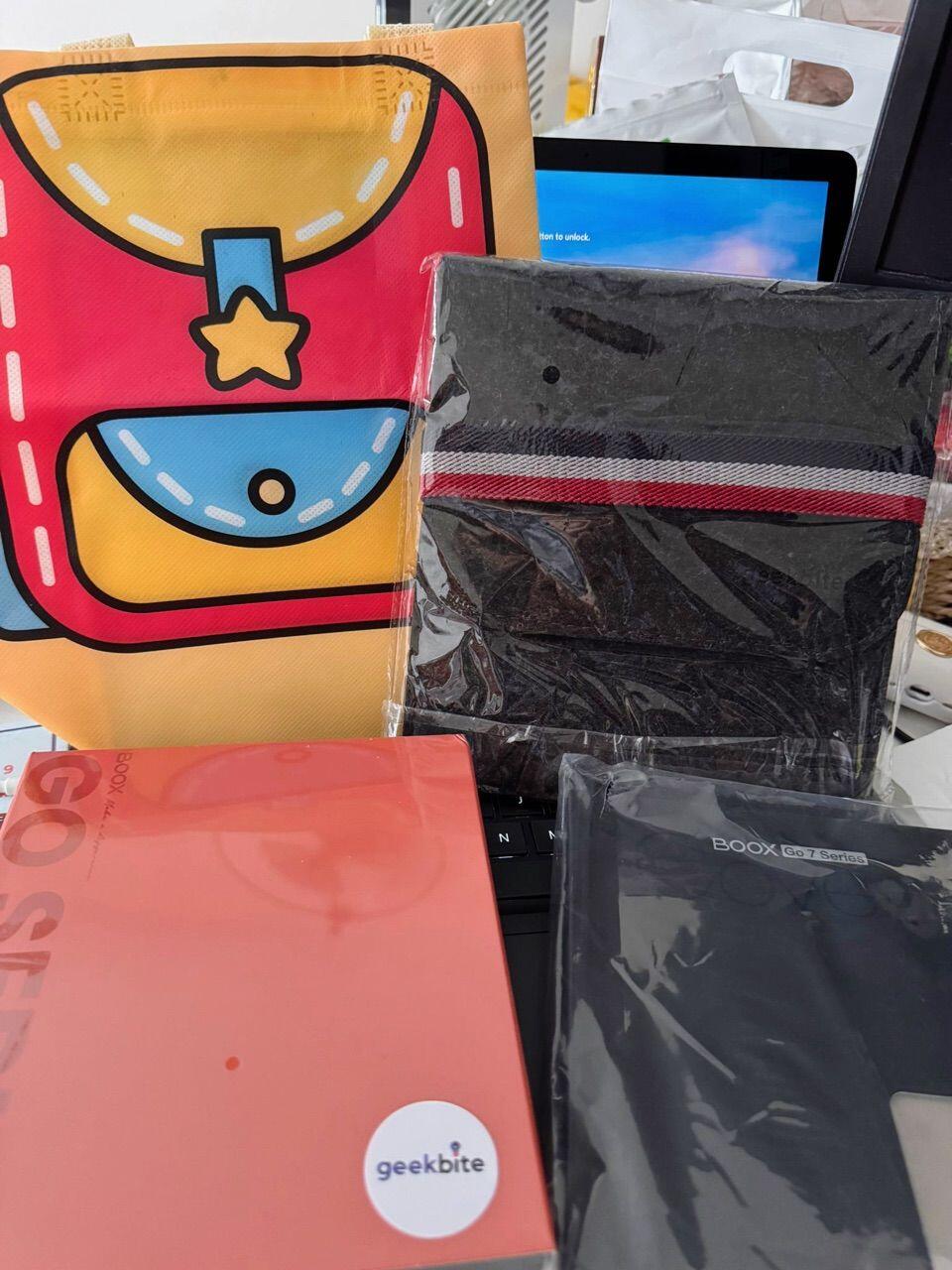
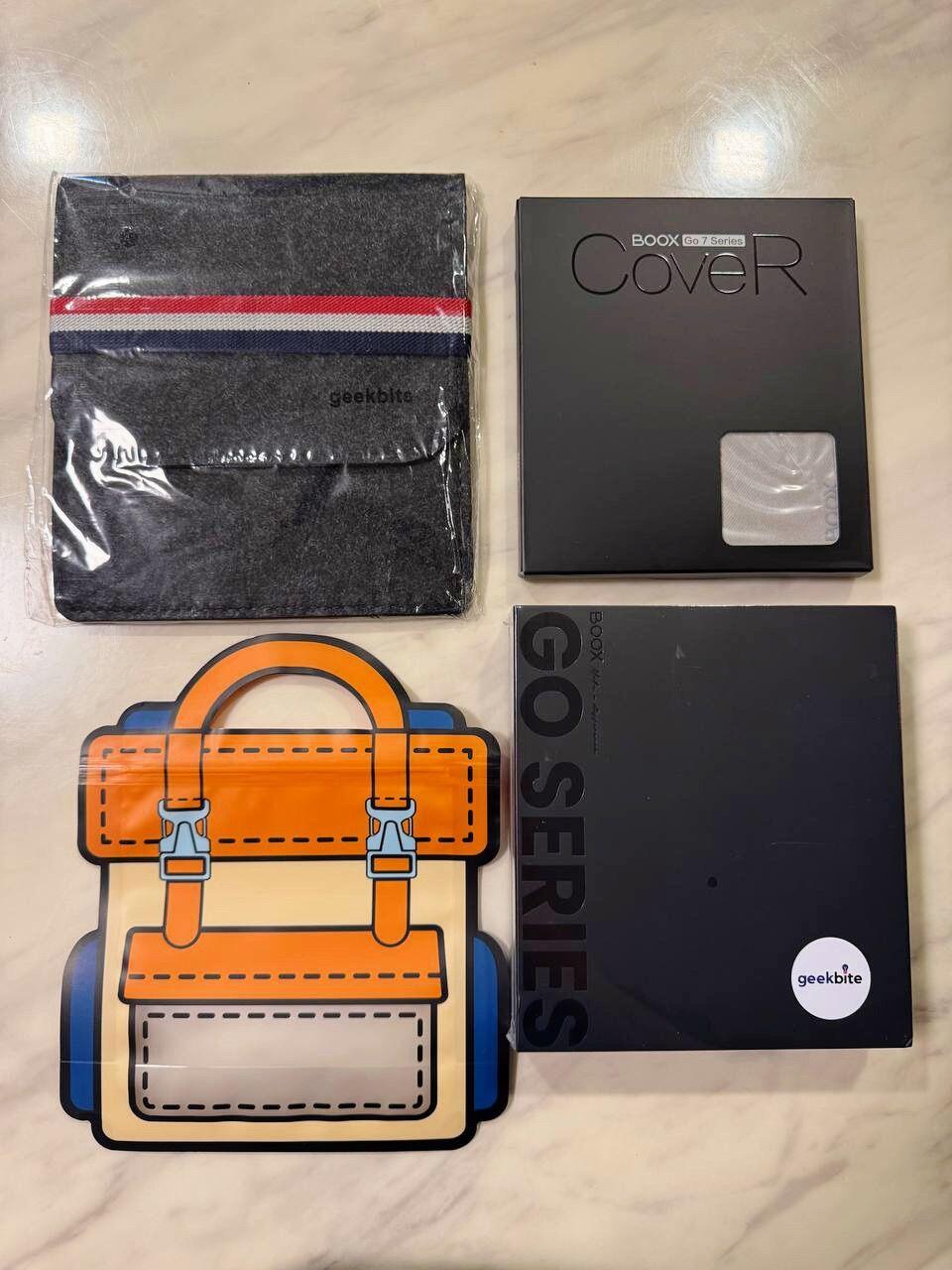
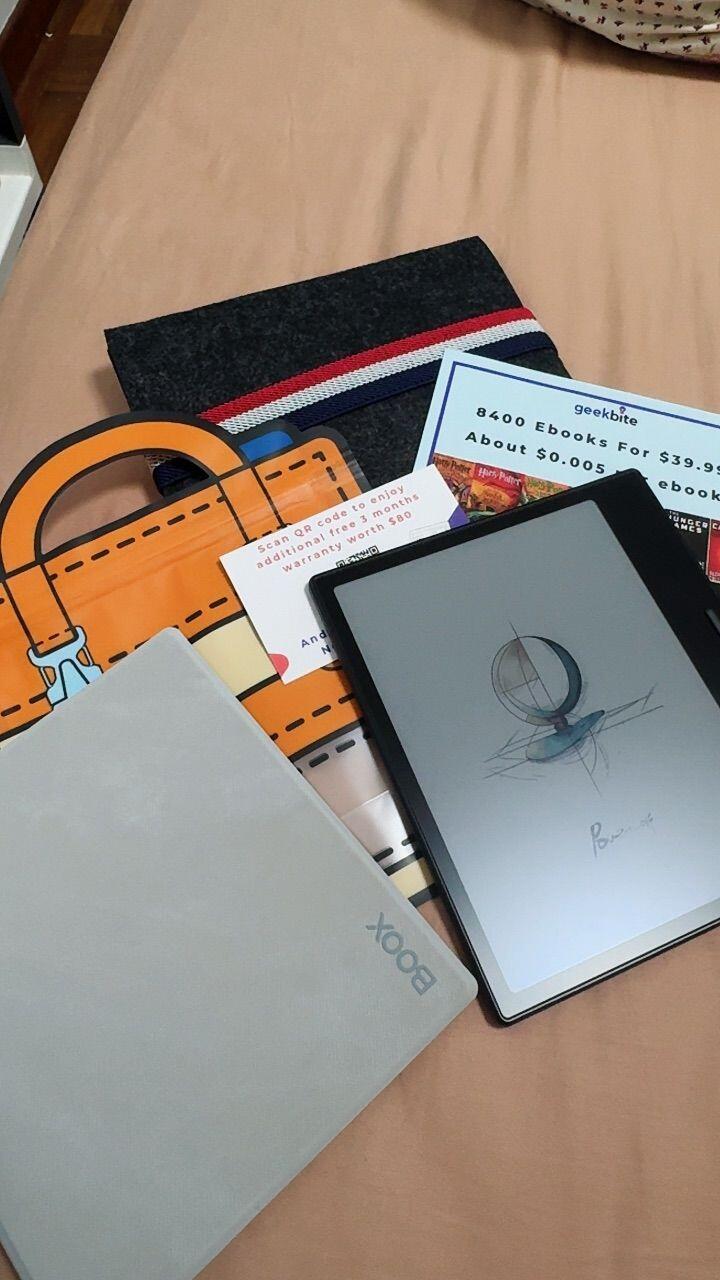
    Item well received , and received some freebies - cover , pouch and tote bag .

    🎯 Thanks for the review! Glad your Tab X C arrived with the cover, pouch and tote bag. Follow us on TikTok, Facebook and Instagram (geekbitesg) for daily tech news. Cheers! :)

    n
    n*****d
    Seller was fast in shipment and thanks

    Seller was fast in shipment and thanks for the free case!!

    🎈 Glad you enjoyed the fast shipment and the free case with your Tab X C, thanks for the review! Follow us on TikTok, Facebook and Instagram (geekbitesg) for daily tech news. Enjoy! :)

    c
    c*****4
    Very satisfied with the item, works well

    Very satisfied with the item, works well. Fast delivery!

    🚚 Glad your Boox Tab X C works well and arrived fast, thanks for the review! Follow us on TikTok, Facebook and Instagram (geekbitesg) for daily tech news. Enjoy! :)

    c
    c*****1
    Got this for a birthday gift and

    Got this for a birthday gift and received it the day after! Great present, will buy from this store again if I need another one.

    🎂 What a great birthday present, and glad your Tab X C arrived the day after you ordered! Thanks for the review. Follow us on TikTok, Facebook and Instagram (geekbitesg) for daily tech news. Cheers! :)

    w
    w*****e
    Fast delivery and items were well packed

    Fast delivery and items were well packed. Came with some freebies as shown. Item works well.

    📦 Thanks for the review! Glad the freebies came as shown and your Tab X C is working well. Follow us on TikTok, Facebook and Instagram (geekbitesg) for daily tech news. Cheers! :)

    p
    p*****u
    Pleasant shopping experience, working very well and

    Pleasant shopping experience, working very well and happy brought this. Seller give free pouch & a very cute zipper bag.

    🍀 Glad you had a pleasant experience and your Tab X C is working very well! Thanks for the review. Follow us on TikTok, Facebook and Instagram (geekbitesg) for daily tech news. Cheers! :)

    x
    x*****x
    Cute freebies and fast delivery

    Cute freebies and fast delivery! Cant wait to start reading.

    📖 Happy reading with your new Tab X C! Glad you liked the freebies and fast delivery. Follow us on TikTok, Facebook and Instagram (geekbitesg) for daily tech news. Cheers! :)

    w
    w*****g
    Android system e-reader, able to install various

    Android system e-reader, able to install various reading apps 👍.

    📱 Thanks for the review! Glad you like installing your favourite reading apps on the Tab X C. Follow us on TikTok, Facebook and Instagram (geekbitesg) for daily tech news. Cheers! :)

    A
    Alfy
    Great full size e ink tablet

    Fantastic full size e-ink tablet. I use it mostly to read comics, and it is very much the best tool I’ve had for that purpose. The responsiveness and options to calibrate your screen are impressive.A small niggle: I got a couple of pixels that remain white. Not a game breaker, but still a bit disappointing considering the price. Boox will not exchange a tablet with just a few pixels off.

    📖 Thanks for the 4-star review! Glad the responsiveness and calibration options work well for your comics. If you would like us to look at the pixel issue on your Tab X C, just chat to us. Follow us on TikTok, Facebook and Instagram (geekbitesg) for daily tech news. Enjoy! :)

    J
    James
    Everything expected

    I love this thing. Increases my productivity for school and work.

    🎓 Glad your Tab X C is boosting your productivity for school and work, thanks James! Follow us on TikTok, Facebook and Instagram (geekbitesg) for daily tech news. Enjoy! :)

    n
    n*****i
    As expected, very high quality and works

    As expected, very high quality and works well!

    📝 Glad your Boox Tab X C arrived as expected and works well, thanks for the review! Follow us on TikTok, Facebook and Instagram (geekbitesg) for daily tech news. Cheers! :)

    Z
    Zachary
    Battery life

    Genuinely one of the best devices I've ever owned, it has completely replaced my laptop, there are some issues still the main one being it should have a battery that's twice as big at least they did not need to make it so thin and you need the battery because it how much you need the backlight on.

    🔋 Thanks Zachary for the 4-star review! Glad the Tab X C has replaced your laptop. If you need help with battery settings or backlight use, just chat to us. Follow us on TikTok, Facebook and Instagram (geekbitesg) for daily tech news. Cheers! :)

    t
    that one guy
    Well built Eink Tablet

    a few things this is an e ink tablet so that means ghosting, and longer refresh times, I will say this eink display seems to be faster than most others. The pen is unfortunately a USI 2.0 pen so the tablet wont work with older EMR pens like I have for some of their other tablets, but the pen they give you is one of the better ones out there so far, the pen itself is well built and functionable, I wish it had an eraser but the built in note app has a scribble erase function that works really well.I have had a few boox tablets in the past but I'm really liking the size and format of this one, before reading on the smaller tables required zooming into most text book sized pdfs with this I don't feel the need to, I can write on it like a full sized piece of paper too since it is a similar size to one. As for cases its hard to fine one that will fit this but I was planning on using an old zip up folio I had lying around and it fits within the zipper of the folio, but just barely, the pen can't be in the charging pad and zipped up in my folio because of the extra large left side bezel.The colors are well defined and the brightness is pretty good. I'm not so sure on battery life right now, but about an hour or so of setup and preliminary use drained it about 10% so at the rate I use it I suspect it will last 6-9 or so hours of use but I suspect some of that was also the recharging of the pen which is done wirelessly which is convenient but does use up more power.the UI is pretty simple but unlike other eink tablets that lock you down to only their store, this functions more like an android tablet and has google play store installed and while you wont be able to play any fast paced games it does allow you to install some useful apps like some manga/comic book apps, and I also installed Desmos for a nice graphing calc app and it all works just fine.so far I'm pretty happy with this tablet, and I'm excited to bring it to college for notes and homework, if I see any real issues I will update this review.

    📝 Thanks for the detailed review and for sharing your pen and battery notes! If you need help with your Tab X C settings or pen, just chat to us. Follow us on TikTok, Facebook and Instagram (geekbitesg) for daily tech news. Enjoy! :)

    h
    h*****g
    Very satisfied with my purchase

    Very satisfied with my purchase! My new Boox is beyond beautiful and has exceeded expectations.

    🎉 Thanks for the review! Glad your new Tab X C is beyond beautiful and exceeding expectations. Follow us on TikTok, Facebook and Instagram (geekbitesg) for daily tech news. Enjoy! :)

    Products you've been watching

      © 2026 GeekBite Pte Ltd

        • American Express
        • Apple Pay
        • Google Pay
        • Mastercard
        • PayPal
        • Shop Pay
        • Union Pay
        • Visa